About Me
I’m a versatile developer with a passion for creating efficient, scalable systems, performant software, and stylistic interfaces. I love all aspects of development, from meticulous planning to late night bug fixing.
Recently, I graduated from Algonquin College’s Game Development program with honours! Over the last year, I’ve been working with a small team to develop a capstone project in unity, you can read more about it below.
Previously, I’ve worked as a full stack developer in the commercial software industry. During this time, I created customer facing software packages that handled sensitive information, processed large sets of data, and tailored every detail to meet clients’ specific requests.
In my spare time, I love cooking, trying new indie games, and going for long walks with good music.
Skills And Experience
- Proficient in several programming languages including C#, C++, Python, Java, JavaScript, and Visual Basic.
- Experienced with technologies and frameworks such as SQL, React, Node.JS, Django, ASP.Net & Bazor, and many many more.
- Experienced with game engines including Unreal Engine, Unity, Godot, and some experience in game engine development.
- Excellent at troubleshooting, bug fixing, optimization, and porting legacy software.
- Highly adaptable, able to learn new technologies and systems quickly.
Projects
Below is a bit of a writeup about the projects i've worked on recently.
Honk! Ranger Rush
Unity-C#
Honk! Ranger Rush is a roguelike dungeon-crawler which sets the player out on a cross-country adventure to thwart an evil Goose uprising.
This game was a capstone project I worked on in my final year of game development college. I played a generalist role, where I created multiple complex backend systems, designed and programmed UI elements and menus, optimized existing systems to significantly increase performance, and managed builds, code repositories, and scrum boards.
If you'd like to try it out, you can check out the game's site.(I made that too!)
Here's a few highlights I'm proud of:
The UI
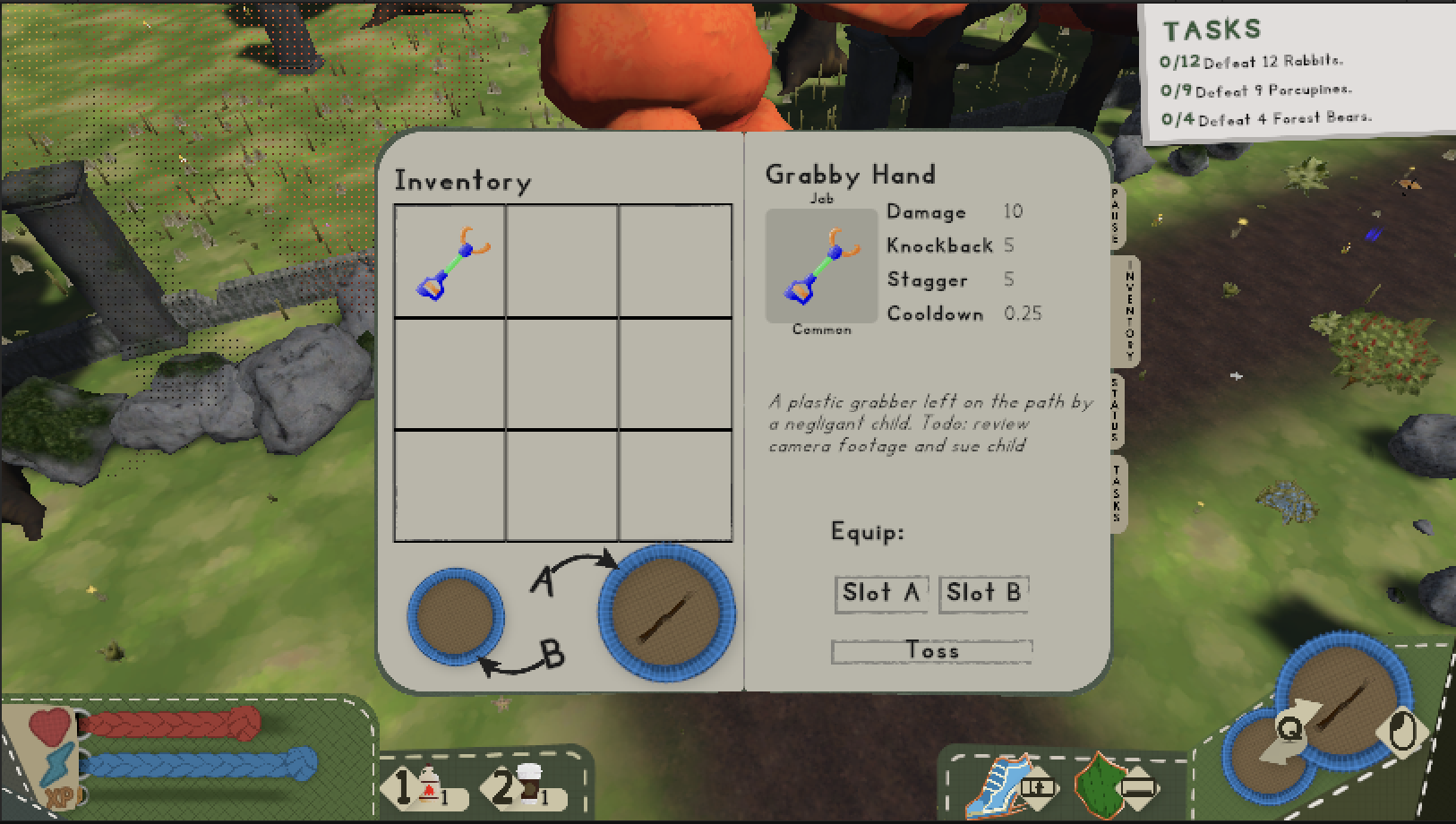
I was responsible for both the design and implementation of the majority of the game’s UI, like the HUD, inventory booklet, and a variety of screens and menus.
The front end of the UI is entirely made using the new (and very experimental at the time) unity UI Toolkit. While the canvas-based UI system is a much more stable and developed option, we picked this one due to its XML and CSS base, as many of us had web development experience.
I had to create a handful of tools to tackle features we needed but the toolkit didn't have yet, like dynamic text resizing, serializing more complex structures, and displaying the UI in world space. But aside from that the toolkit was excellent to use, and I'm looking forward to how it changes.
Visually, I knew from the start that I wanted to give the UI a very outdoorsy theme, while keeping it simple to match the gameplay and visuals. I was tasked to start designing the UI before we even had a prototype or any concept art, which was a bit of a challenge. But after a lot of drafts, iterations, and talk with the art team, I was able to put this design together in Illustrator.
While there's a lot I'd go back and change, the UI received a lot of praise at showcases, and I'm very proud of that.
The Difficulty System
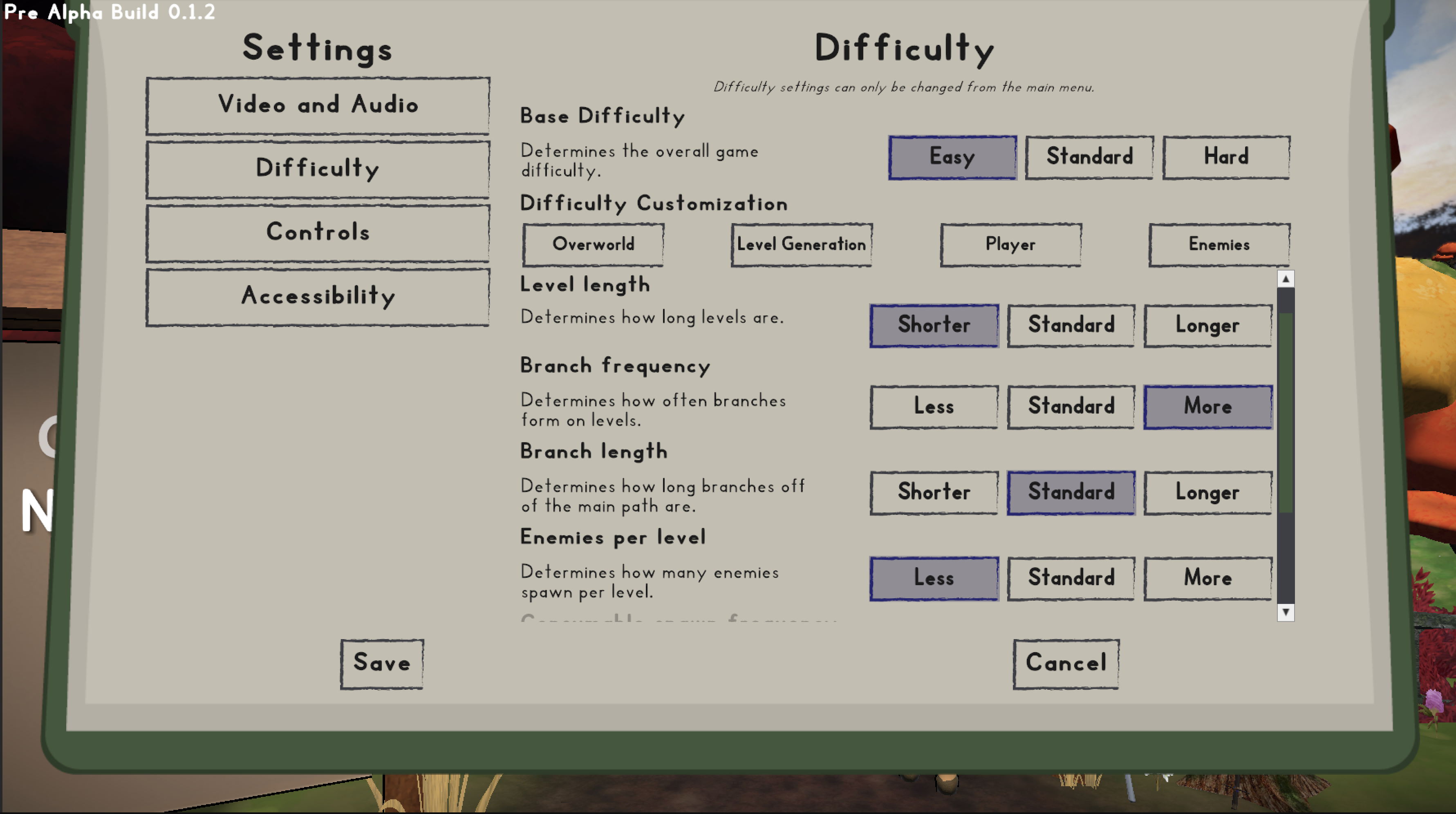
This system was the result of player’s seeming to provide conflicting feedback as to what worked and what didn’t with the game. While we can’t please everyone, we wanted to get players as close as possible to their desired experience. At the start of a run, players can pick a base difficulty, but in the options menu, they can also pick and choose how hard or easy they want each specific aspect of the game.
When I started designing this system, I knew I wasn't going to be the only one using it. So, making it easy for other developers to use and expand onto was a priority from the start. To achieve this, I made sure to separate the front end, difficulty management logic, difficulty settings, and actual values as much as possible.
In the end, I made a robust system that took advantage of C#'s reflection features, a few editor tools, and some custom UI toolkit controls to make it painless for anyone to use.
If a designer wanted to add a new difficulty setting, they just needed to update one list with a unique key name, a category, and a type representing what that value is.
To add that setting to the options UI, they just needed to add a new control, and assign it the custom key, and a description. At runtime, the control binds itself to the right property without any extra code or setup.
And lastly, if a dev wanted to check a difficulty setting during gameplay, all they needed to do was pass that key to one single function. If it existed, they'd get back the value for the difficulty the user picked.
In the end, the extra time I took to build the system this way was well worth it, as it let the team make the game just a bit more accessible without a large hassle.
The Saving System

I wrote a backend system that saves and loads game data. When I was planning this system, we weren't sure of everything that needed to be saved, so I knew it needed to be scalable and versatile unless I wanted to spend the rest of the semester maintaining it. With this in mind, I ended up creating a JSON database that could store any object or asset in the game.
At its core, the feature has one class that manages writing, reading, and querying a JSON file. Like the difficulty system, I made it as simple as possible for developers to use, with one function call being all you need to save or to load something. Just pass a path, a name, and whatever you want saved, and the save system would perfectly store a copy of it.
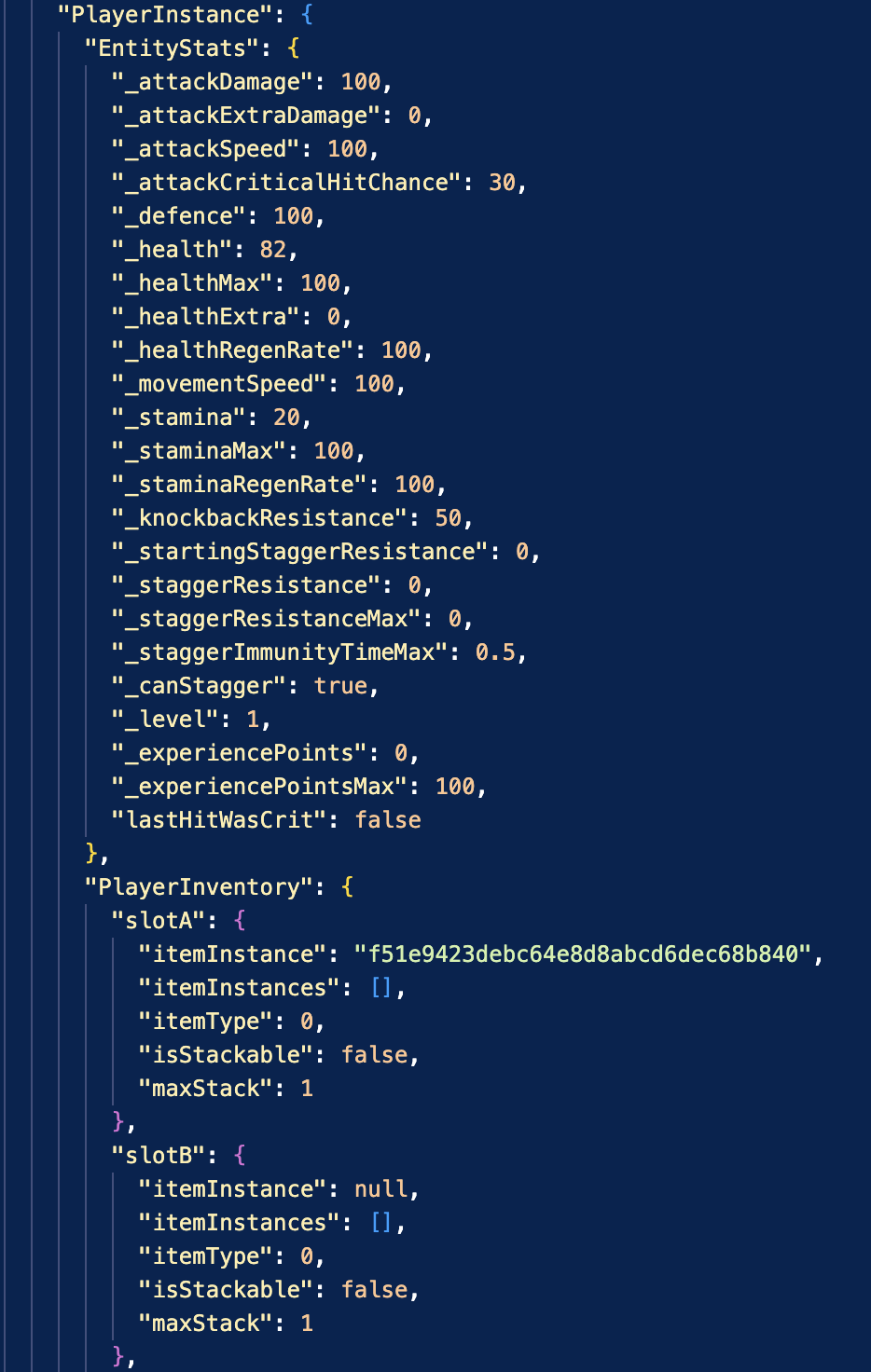
To make sure everything gets saved when it needs to, I also made an interface for devs to implement with a few saving and loading functions. Once the player wanted to load or save, the manager would tell everything with that interface to save or load all their data. This way, the other devs didn't need to worry about if / when their information is being saved.
One large roadblock that came up when making this was how I'd save scriptable objects. Once a game is built in unity, you can't just search for an asset by path or name, since everything is bundled together. This meant we could save an object and all the assets associated with them, but then we were stuck with paths that didn't exist anymore. My workaround to this was to create a subclass of the scriptable object with a unique id that gets generated at creation and then add another class that stored the objects and let you search for them by that id. From there, all we had to do was store the id in the save file and pass it to that class to get the corresponding object when it's time to load.
Optimization And Engine Management
A good game is worthless if it can’t run on anything. Which is why I spent hours optimizing and streamlining the game to improve performance and compatibility.
By profiling the game, identifying bottlenecks, and implementing performance saving fixes. I was able to get the game from an unreliable 5-15 fps, all the way up to a stable 60.
A large chunk of our performance issues came from the enemies. While 1 or 2 enemies didn't affect performance, we had 50-80 in an average level! All these enemies had several custom behaviour graphs and actions, all with various complexity, but many of them were performing taxing operations every frame that could be cached and reused. This change, combined with a few small tweaks, instantly fixed our issues.
Load times were an issue as well. Since our game generated levels and terrains dynamically, it used to take upwards of a minute to load the average level, with the game being completely unresponsive during it.
To fix this, I planned to use async functions and coroutines to speed up the level generation and alleviate the pressure on the main thread. By working with the level generation team, we managed to get levels to generate not only faster, but with less of a strain on the computer too.